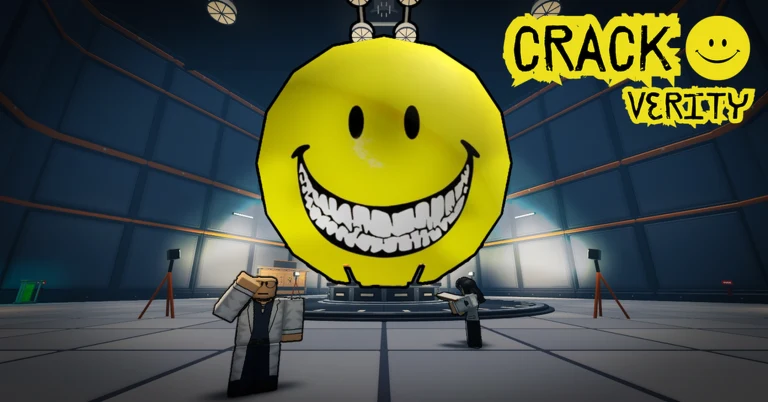
- Crack Verity voice chat depends on Roblox's platform-wide voice chat, not a game-exclusive system.
- Eligibility: You need a verified 13+ Roblox account before voice chat appears in settings.
- Co-op focus: Teams of up to 4 players benefit most from coordinating hammer swings on one target.
- Troubleshooting: Most voice chat failures come from privacy settings, device permissions, or missing verification.
- No confirmed in-game text commands: Communication is currently limited to standard Roblox tools.
How Voice Chat Works in Crack Verity
Crack Verity is the Roblox co-op cracking simulator from RIVET Studio where up to four players grab hammers and break open a mysterious yellow lab entity layer by layer. Because the game is built around team coordination, clear communication matters: focusing four hammers on a single layer clears it far faster than splitting damage across multiple targets.
The game does not ship its own independent voice system. Instead, it uses Roblox's platform-level voice chat feature, which developers can enable inside their experiences. That means everything about eligibility, activation, and troubleshooting is handled through your Roblox account and the Roblox client rather than through a Crack Verity settings menu.
As of October 2026, RIVET Studio has not published a dedicated statement confirming voice chat status inside Crack Verity. If the microphone icon does not appear in-game, the experience may not have voice chat enabled, or your account may not meet Roblox's eligibility requirements. Check the official Crack Verity game page for current feature support.
Join a server and look at the top-left corner of your screen. A small microphone icon next to player names indicates that voice chat is active in that experience and that your account is eligible.
Voice Chat Eligibility and Requirements
Roblox voice chat is gated behind account-level verification. This table breaks down every requirement you must meet before the feature appears anywhere, including inside Crack Verity.
| Requirement | Details | Where to Complete |
|---|---|---|
| Age 13+ account | Your Roblox account birthday must show 13 or older | Account Settings > Personal Info |
| ID verification | Scan a government-issued ID via Persona | Settings > Account Info > Verify My Age |
| Valid email | A confirmed email address on the account | Settings > Account Info |
| Voice chat toggle | Enable the feature after verification | Settings > Privacy > Voice Chat |
| Device permissions | Grant microphone access to the Roblox app | OS privacy settings (mobile) or app permissions (PC) |
| Stable connection | Poor latency causes choppy or dropped audio | Use a stable Wi-Fi or wired connection |
Roblox states that ID scans are handled by a third-party verification provider and are not stored as raw images on your account. If you are uncomfortable verifying, voice chat simply stays unavailable — Crack Verity remains fully playable without it.
Accounts with parental restrictions or those under the age threshold cannot access voice chat, and there is no legitimate workaround. Any site or video claiming to "crack" or bypass Roblox voice chat eligibility is a scam and risks your account.
Step-by-Step: Enabling Voice Chat for Crack Verity
Follow these steps to activate voice chat and confirm it works before jumping into a cracking session.
Verify Your Age
Log in to Roblox on the web, open Settings > Account Info, and click "Verify My Age." Complete the ID scan through Roblox's verification provider. Verification can take from a few minutes to several hours to process.
Enable Voice Chat in Privacy Settings
Open Settings > Privacy and toggle "Voice Chat" to on. If the toggle is missing, your verification has not completed or your account is not eligible yet.
Grant Microphone Access
On PC, allow microphone access in Windows or macOS privacy settings. On mobile, allow mic access for the Roblox app in system permissions. Launch Roblox after changing permissions so the change registers.
Test in Crack Verity
Join the official Crack Verity experience, look for the microphone icon in the player list, and speak a short test line. If teammates confirm they hear you, you are set.
Set Push-to-Talk (Optional)
In Settings > Input, switch from voice-activated to push-to-talk if you have background noise. This keeps your channel clear while you focus hammer swings on the entity's layers.
Once the mic icon appears and teammates hear your callouts, your setup is complete. All Roblox experiences with voice enabled — including future RIVET Studio updates — will use the same configuration.
Team Communication Strategy for Cracking Runs
Voice chat is only useful if your team uses it well. In Crack Verity, the core loop is simple — swing hammers, break layers, collect shards — but coordination multiplies efficiency. These are the callout patterns that matter most during a run.
Target Callouts
- "Same layer, same spot" — focus all hammers on one crack point
- Faster single-layer clears
- Prevents split damage across the entity
Loot Callouts
- "Shard dropped left side" — ping shard positions immediately
- Four sets of eyes collect more drops
- Fewer missed pickups between layers
Break Coordination
- "Final hits incoming" — sync swings before a layer breaks
- Everyone stays close for the reveal
- Keeps the team ready for the next layer's animation
| Scenario | Recommended Callout | Why It Helps |
|---|---|---|
| Layer change | "New layer exposed, regroup" | Resets positions before deeper, tougher layers |
| Player AFK | "One hammer down, adjust pacing" | Team compensates for reduced damage |
| Shard cluster | "Collect shards first, then swing" | Loot pickups before the next break sequence |
| New player joins | "Focus the main target, follow our swings" | Onboards teammates without stopping the run |
Keep callouts short — two or three words each. In a 20-player server with multiple cracking teams, a crowded voice channel gets noisy fast. Agree on simple shorthand with your squad before the run starts.
Troubleshooting Common Voice Chat Problems
Most voice chat issues in Roblox experiences trace back to a handful of causes. Work through this table in order — the first rows fix the majority of cases.
| Problem | Likely Cause | Fix |
|---|---|---|
| No mic icon in-game | Experience has voice chat disabled | Confirm in another voice-enabled experience; if it works there, wait for a Crack Verity update |
| Mic icon greyed out | Age verification incomplete | Recheck Settings > Account Info for verification status |
| Nobody hears me | OS mic permissions denied | Re-enable mic access, then restart the Roblox client |
| Choppy audio | High latency or weak connection | Switch to wired or stronger Wi-Fi; close bandwidth-heavy apps |
| Voice works elsewhere but not here | Experience-level toggle | Player-side fix not possible; monitor official game updates |
| Echo from teammates | Someone without headphones | Ask teammates to use headphones or enable push-to-talk |
Never download voice chat "unlockers" or account modifiers claiming to enable Roblox voice features. These tools violate the Roblox Terms of Service and are a common vector for account theft.
Voice Chat Setup Checklist:
- Confirm account is 13+ with valid birthday
- Complete ID verification in Account Info
- Toggle Voice Chat on in Privacy settings
- Grant microphone permission at the OS level
- Test the mic icon inside Crack Verity before a full run
FAQ
Q: Does Crack Verity have its own voice chat system?
No. Like most Roblox experiences, Crack Verity uses Roblox's platform-level voice chat rather than a built-in system. Whether the feature is active inside the game depends on the developer's current configuration and your account eligibility.
Q: Can I play Crack Verity without voice chat?
Absolutely. Crack Verity's core loop — teaming up with up to 3 friends, swinging hammers, and cracking the yellow entity layer by layer — works fully without voice. Coordination simply becomes smoother with it, especially for focusing damage on a single layer.
Q: Why can't I see the voice chat toggle in my settings?
The toggle only appears for accounts that are 13 or older with completed age verification. If you meet both requirements and still don't see it, verification may still be processing — wait a few hours and check again.
Q: Is voice chat required for the deepest layers in Crack Verity?
No layer requires voice chat mechanically. However, harder layers with greater resistance benefit from coordinated hammer focus, so teams using voice chat typically push through deeper layers faster than silent groups.