- Crack Verity broken script errors are usually client-side, not account problems
- Hammer not registering: rejoin the server and verify your connection first
- Layer progress reset: report it through the official RIVET Studio game page
- Update window: errors spike right after new patches ship
- Never use third-party "script fixes": they violate Roblox terms of service
What "Broken Script" Errors Look Like in Crack Verity
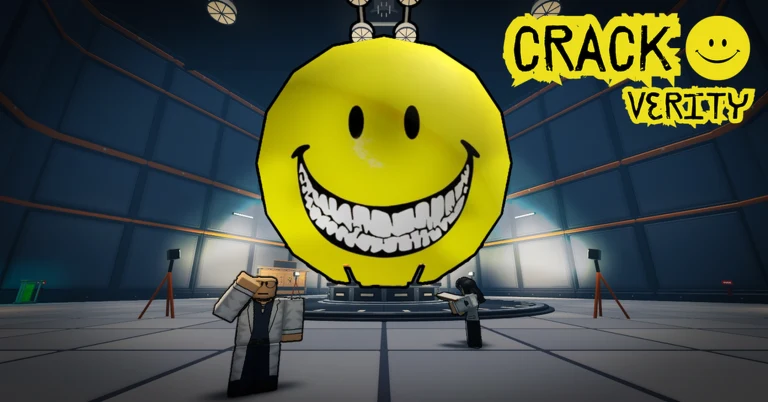
Crack Verity is the Roblox co-op cracking simulator from RIVET Studio, where up to four players grab a hammer and crack open a mysterious yellow lab entity layer by layer. Because the game is only weeks old at the time of writing (launched September 26, 2026), players still run into script-related hiccups — swings that do nothing, entity layers that refuse to break, or progress that appears to stall.
The phrase "broken script" gets used loosely in the community. It can mean a Roblox client error message, a game mechanic that silently stops working, or a server desync between your hammer damage and the entity's health. Before anything else, separate these three causes, because the fix is different for each.
Any website or YouTube video offering a "Crack Verity script" download — free hammer unlocks, auto-crack bots, or shard multipliers — is not affiliated with the game. These are typically scams or account-stealing malware, and using them risks a permanent Roblox ban.
Common Broken Script Symptoms and Causes
| Symptom | Likely Cause | Severity | First Fix |
|---|---|---|---|
| Hammer swings deal no damage | Server desync or animation glitch | Medium | Rejoin the server |
| Entity layer health stuck at 0% | Script fails to register the layer break | Medium | Wait 30s, then re-equip hammer |
| Progress bar resets after rejoin | Save data sync failure | High | Report via official game page |
| Cannot equip any hammer | Loadout UI failed to load | Low | Respawn or reset character |
| Team of 4 cannot see same entity | Client-side replication mismatch | Medium | All players rejoin together |
| Game freezes mid-crack | Client performance or Roblox outage | Low | Lower graphics, rejoin |
Client-Side Issues
- Caused by your device or connection
- Freezes, UI not loading, animation desync
- Usually fixed by rejoining or lowering graphics
Server-Side Issues
- Caused by the game's servers
- Damage not registering, entity not updating
- Fixed by switching to a different server
Game Bugs
- Caused by code errors in an update
- Progress loss, broken layers, stuck rewards
- Fixed only by developers — report and wait
If other players on your server describe the same problem in chat, it is server-side or a game bug. If you are the only one affected, troubleshoot your client and connection first.
Step-by-Step: Fixing a Broken Script Error
Work through these steps in order. Most script-related problems in Crack Verity resolve within the first three steps.
Refresh Your Session
Leave the server and rejoin Crack Verity fresh. This forces your client to re-download the current game scripts and clears most desync issues where hammer damage stops registering.
Switch Servers
If the problem persists, join a different server. A single overloaded or buggy server instance (Crack Verity holds up to 20 players per server) is one of the most common causes of script errors.
Check Your Connection
Run a connection test. Unstable ping causes the entity's layer health to update late on your screen, which looks exactly like a broken script even when the game is fine.
Update Roblox and Clear Cache
Make sure your Roblox client is fully updated. On mobile, reinstalling the app clears corrupted cached scripts that can break hammer animations and layer progression.
Report to the Developers
If none of the above works, it is a genuine game bug. Report it on the official Crack Verity game page or the RIVET Studio group so the developers can patch it.
Include your username, the server region, what layer you were cracking, and what the entity was doing when the error occurred. Specific reports get patched faster.
Progress Protection: What to Do Before Updates
Because Crack Verity launched recently and updates land frequently, script errors are most likely in the hours right after a patch. Protect your cracking progress with a simple routine.
| Situation | Risk Level | Recommended Action |
|---|---|---|
| Playing right after a patch | High | Finish current layer, then log out |
| Long farming session | Medium | Rejoin every 30-45 minutes |
| Server feels laggy | Medium | Switch servers before deep layers |
| Normal quiet session | Low | Play as usual |
Before Every Crack Verity Session:
- Confirm the game has no pending update
- Test one hammer swing on the outer layer
- Verify layer progress saves after one rejoin
- Note your current layer before long sessions
- Bookmark the official game page for patch news
If a broken script wipes your visible progress, do not delete anything or restart grinding immediately. Some sync failures restore saved data after a few hours once the server communicates with Roblox's data stores again.
Where to Get Official Help
Only trust official channels for bug reports and script error confirmation. RIVET Studio publishes Crack Verity on Roblox, and the official Crack Verity game page is the primary source for updates, patch announcements, and community reports. The RIVET Studio group page is the developer's verified presence on the platform.
Roblox hosts several unrelated "Verity" experiences (Speak To Verity, Verity, ESCAPE VERITY). Bug reports, scripts, and guides for those games do not apply to Crack Verity. Always confirm the developer is RIVET Studio before reporting or following advice.
Broken Script FAQ
Q: What does a broken script error mean in Crack Verity?
It usually means a game mechanic has stopped working in your session — most often hammer damage not registering or layer progress stalling. It is almost always caused by a server desync or a bug in a recent update, not by your account.
Q: Can a broken script in Crack Verity wipe my progress permanently?
Rarely. Most progress loss is a sync failure that resolves after a few hours. If progress is still missing the next day, report it on the official Crack Verity game page so RIVET Studio can investigate your data.
Q: Should I download a third-party script to fix errors?
No. Third-party Crack Verity scripts violate Roblox's terms of service, frequently contain malware, and can result in a permanent account ban. All legitimate fixes — rejoining, switching servers, updating your client — are free and safe.
Q: Why do errors happen more often right after a Crack Verity update?
New patches can introduce code conflicts that only appear under live server load. Because Crack Verity launched in late September 2026 and updates frequently, the first hours after a patch are the highest-risk window for script errors.